Blog > How to Apply on Upwork 🏆 Get More Winning Proposals for 2025
How to Apply on Upwork 🏆 Get More Winning Proposals for 2025
Sergey Savenko • 2025-01-30
🚀 Ready to succeed on Upwork? Learn tips for crafting irresistible proposals, landing dream gigs, and leveraging GigRadar for freelancing growth. Get started now!

Have you ever stared at an Upwork job post and thought, “How do I even begin?” You’re not alone. Learning how to apply on Upwork or figuring out how to apply in Upwork can feel a bit overwhelming at first—but with the right approach, landing your ideal Upwork gig is totally doable.
🎯 How to Apply for a Job on Upwork
Knowing how to apply for a job on Upwork isn’t rocket science, but it does require strategy. Let’s break it down step by step (and sprinkle in some tips to keep it fun).
Step 1: Login and Find Your Ideal Job
First things first, log into your Upwork account and head to the Find Work section. This is like window-shopping but for gigs—use the filters to sort jobs by:
- Category: Stick to your strengths.
- Budget: Don’t sell yourself short (but be realistic).
- Experience Level: Beginner, intermediate, or expert—pick your lane.
Pro Tip: With GigRadar, you can automate job discovery and get notified the second a new Upwork gig hits the platform. Speed matters—and GigRadar helps you stay ahead of the curve.
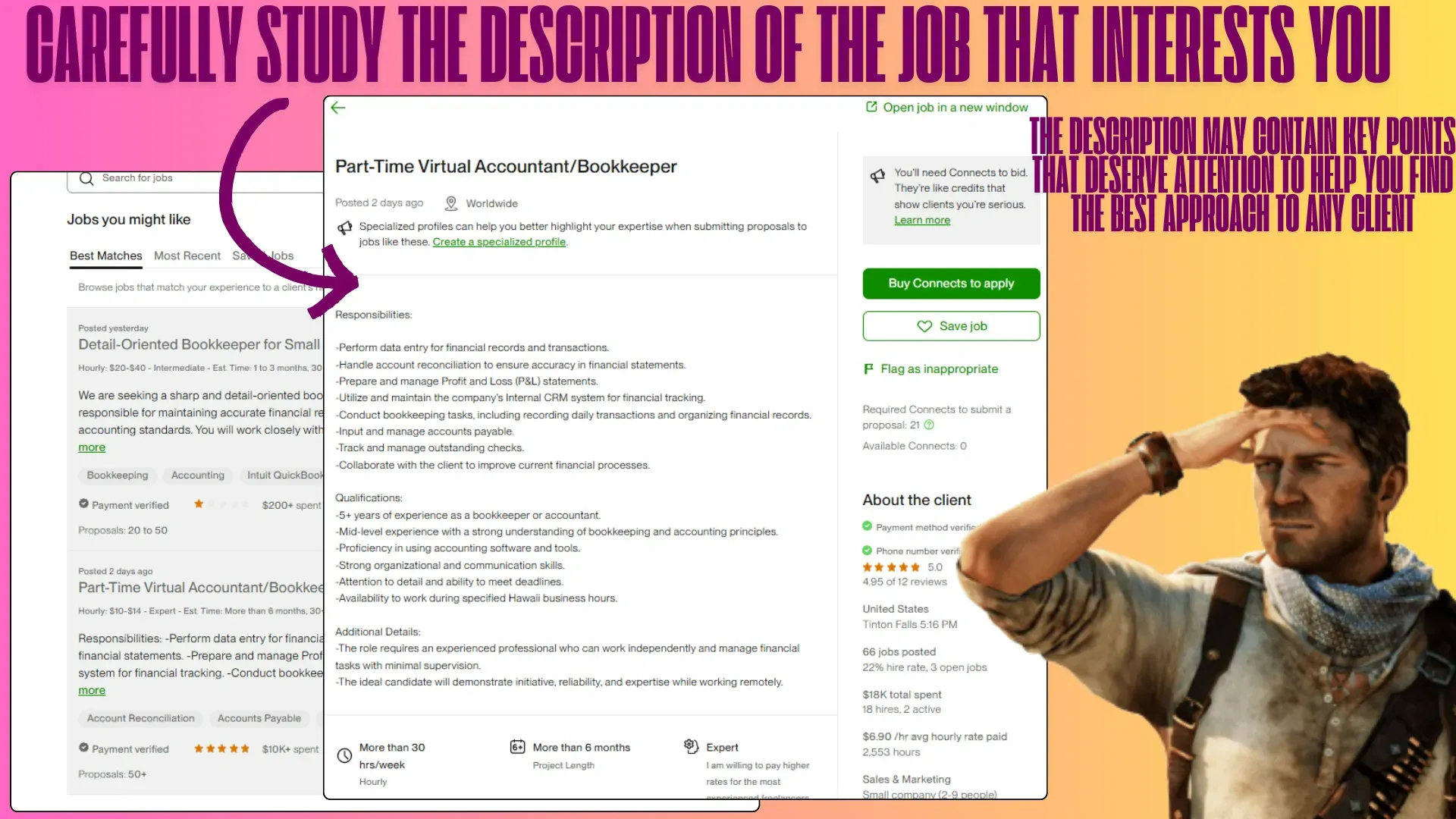
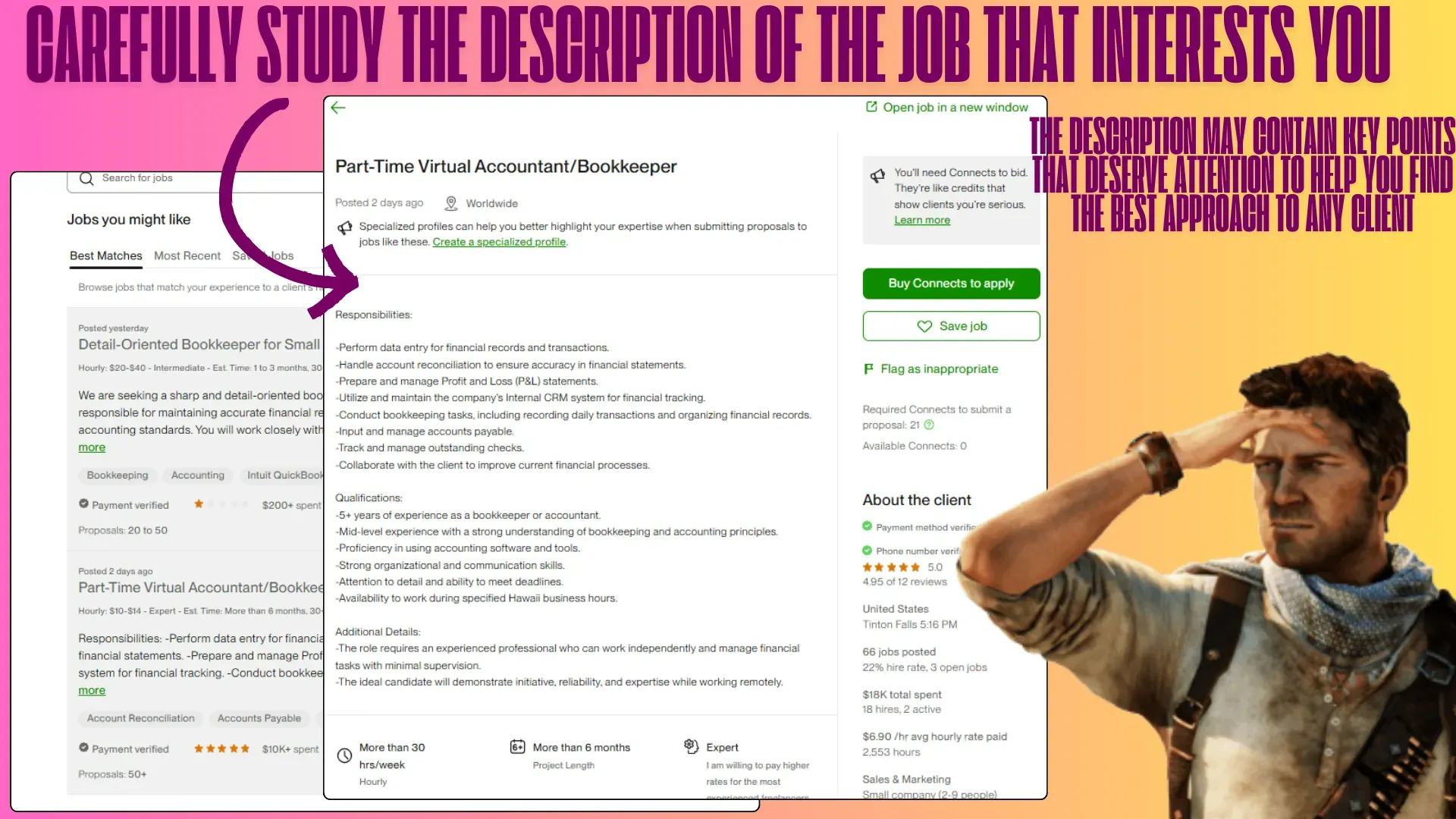
Step 2: Read the Job Description Carefully
This is the part where you don’t skip the fine print. Clients often sneak in secret instructions like, “Start your proposal with the word ‘pineapple.’” Miss that, and your perfectly crafted proposal could go straight to the recycling bin.
Quick Tip:
- Look for key details: required skills, deadlines, or specific challenges the client mentions.
- Spot their pain points and start brainstorming solutions.
The more job descriptions you analyze, the easier it gets to master how to apply on Upwork efficiently—and with GigRadar surfacing the most relevant posts, you’ll spend less time digging and more time winning.
Step 3: Hit “Submit a Proposal” and Set Your Rate
Once you’ve found a job you like, click Submit a Proposal. It’s time to:
- Set your rate: Be fair, but don’t undersell yourself—this isn’t a garage sale.
- Attach portfolio samples: Show your best, not your most.
- Answer screening questions: Take your time; no one likes a rushed answer.
Pro Tip: If the budget is lower than your rate, address it politely: "I noticed your budget is $300. While my typical rate is higher, I’m happy to work within your range to deliver high-quality results."
Confused about setting your rate? Learn how to price your services competitively while maintaining your worth in our freelance pricing insights.
Step 4: Write a Tailored Cover Letter
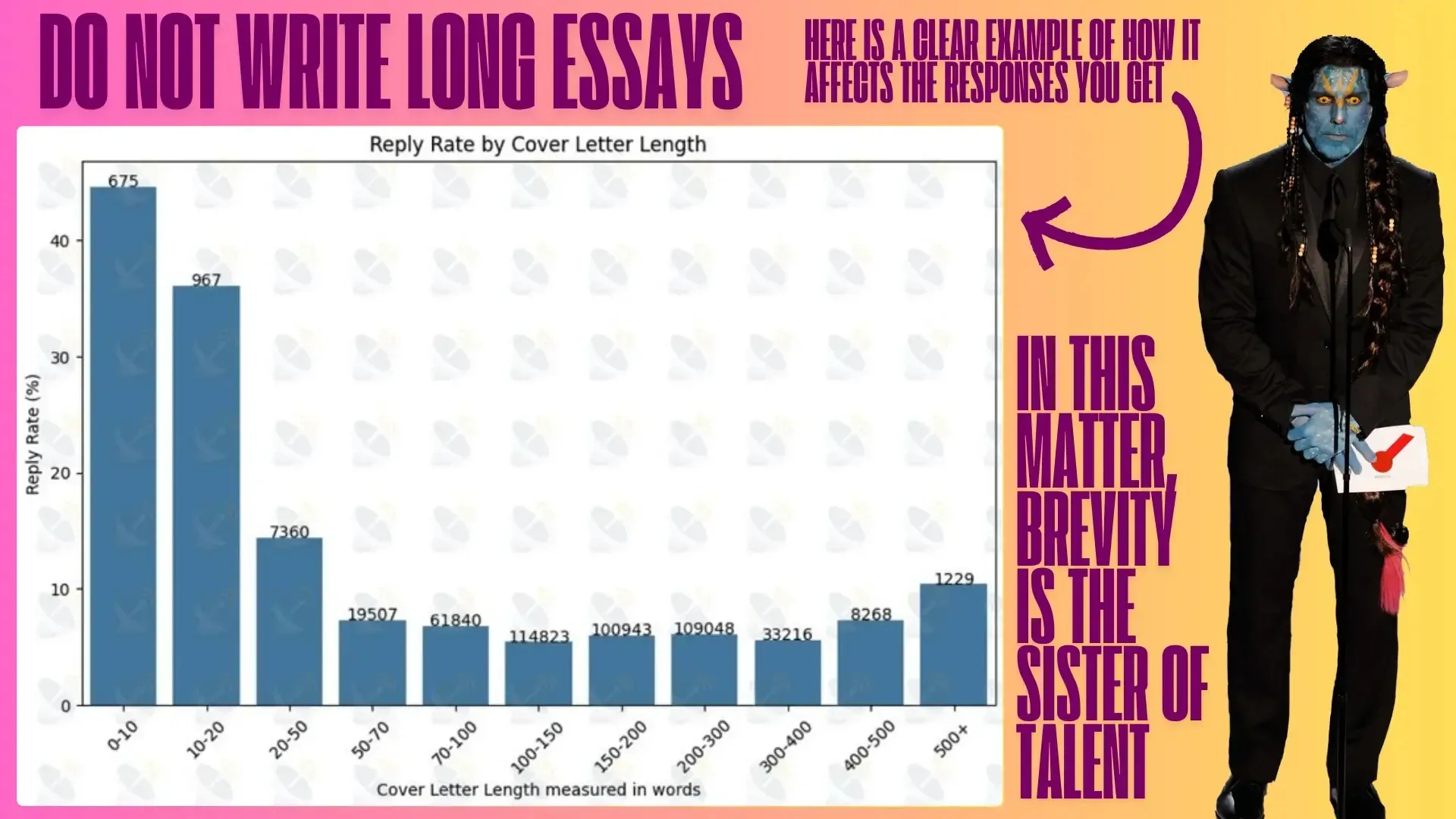
Your cover letter is where the magic happens. Make it personal, highlight your skills, and keep it short enough that no one needs a coffee break halfway through reading it.
Example: "Struggling with low conversion rates? I specialize in creating high-converting websites that don’t just look good—they get results. Let’s chat about how I can help!"
Quick Formula:
- Start with a bold hook.
- Highlight your expertise and results.
- End with a confident call to action.
By following this structure, you’ll have a better grasp of how to apply for a job on Upwork effectively.
💼 Ready to automate your Upwork hustle? After you master how to apply on Upwork, take it to the next level with GigRadar — get alerts for your dream Upwork gigs, apply faster, and increase your chances of getting hired.
Step 5: Attach Relevant Portfolio Samples
Clients love proof of work. Attach up to three samples that match the job description. This isn’t the time to show off your watercolor paintings (unless, of course, the client wants a watercolor painting).
Pro Tip: Add a short note for context: "This logo redesign helped my client increase brand recognition by 30%."
Step 6: Submit and Track Your Proposal
Double-check your work, click Submit Proposal, and then play the waiting game. You can track your proposals in the Proposals section.
Pro Tip: If you don’t hear back after a few days, send a polite follow-up. Think of it as saying, “Hey, remember me?” but professionally.
💡 Pro Tips for Upwork Success
- Apply Fast: Submit your proposal within the first hour of a job posting for better chances.
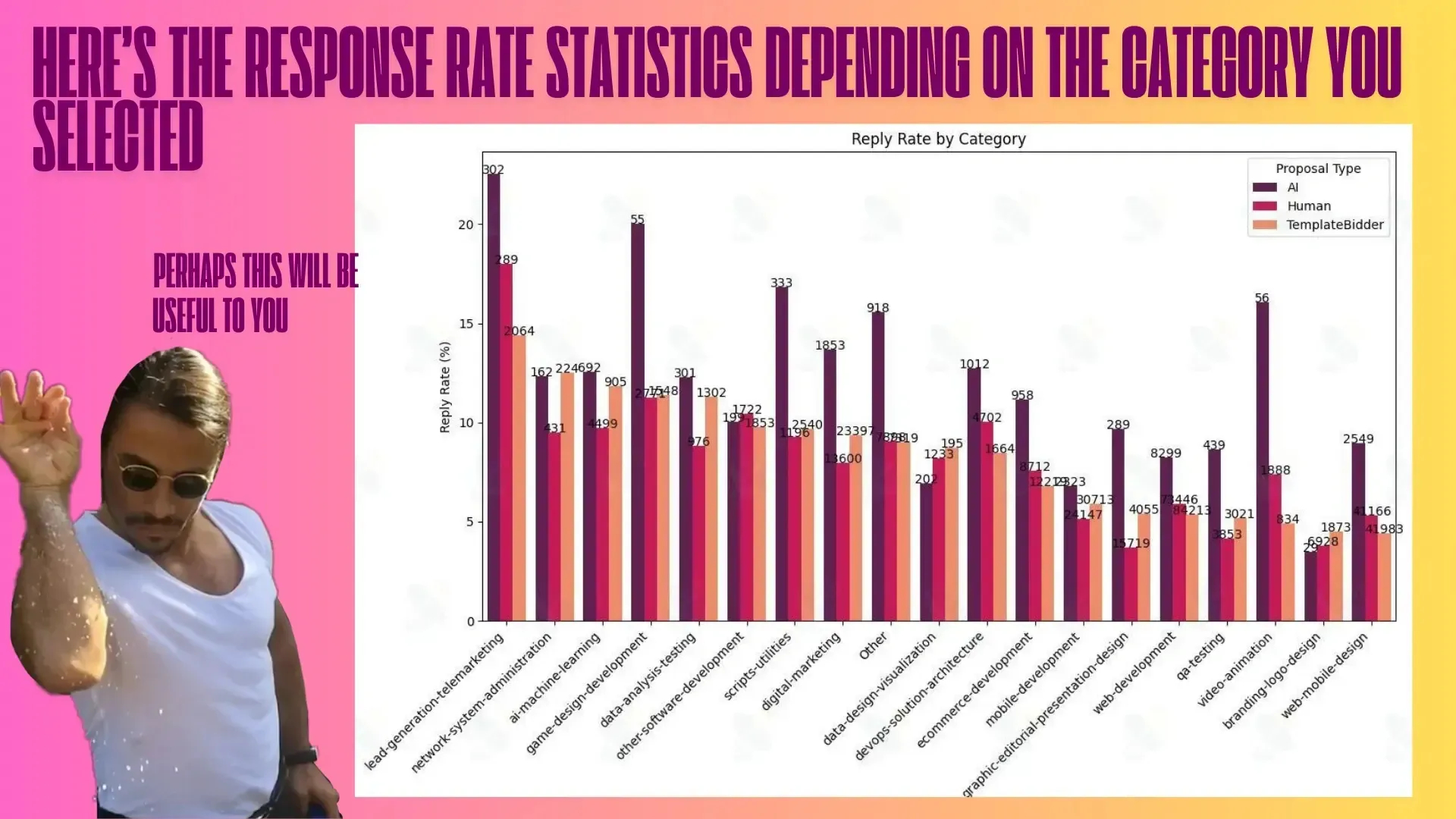
- Focus on Quality Over Quantity: A few targeted proposals are worth more than 50 generic ones.
- Use GigRadar: This tool helps you spot the best opportunities and tailor your proposals.
Let’s face it: applying on Upwork can feel like playing darts blindfolded. Enter GigRadar, your freelancing superhero.
Why GigRadar Works:
- 🚀 Spot Opportunities: Know which skills and jobs are trending.
- 🎯 Target Smartly: Use data to craft spot-on proposals.
- ⏱ Save Time: Focus on gigs that align with your expertise.
With GigRadar, you’re not just applying—you’re applying smarter. Try it today and watch your Upwork game soar. 🚀
Ready for your Upwork success story? Book a demo with GigRadar below!
🌟 How to Apply as a Freelancer on Upwork
If you want to learn how to apply as a freelancer on Upwork, it’s all about standing out. You’re not just applying for a job—you’re showing why you’re the right person for the gig.
Step 1: Build a Strong Specialized Profile
Before applying, make sure your profile screams, “I’m the expert you’re looking for!” Include:
- A clear title like “Graphic Designer | Branding Expert.”
- A professional photo that says “trustworthy freelancer” (and not “I just woke up”).
- A detailed overview highlighting your best skills and results.
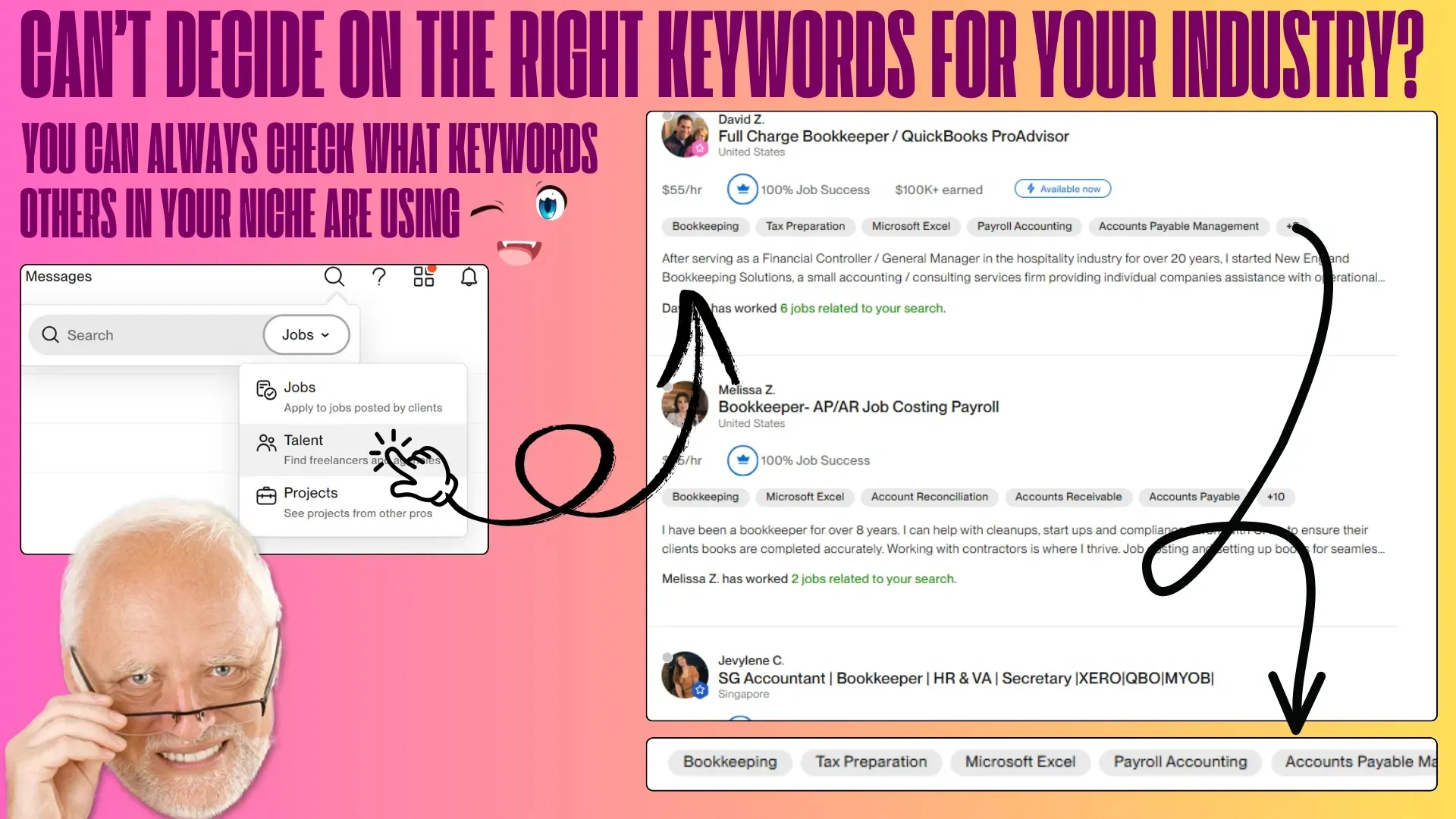
Pro Tip: Use Upwork’s Talent Search to find out what keywords clients use and sprinkle them in your profile.
Your profile is the first thing clients see. Learn how to optimize it to get noticed faster in our Upwork profile optimization guide.
Step 2: Find and Choose the Right Jobs
Scroll through the Find Work section and look for projects that align with your skills. Focus on jobs where you can deliver your best work.
Step 3: Submit Your Proposal
Follow the same steps as before, but don’t forget to let your personality shine in your proposal. No one wants to hire a robot (unless they’re running a sci-fi movie set).
Example: "Hi there! I saw you’re looking for a writer to create engaging product descriptions. I specialize in crafting persuasive content that drives sales, and I’d love to help. Let’s chat about your vision!"
Step 4: Use Metrics to Prove Your Value
Numbers don’t lie. Include stats and results in your proposal to show you mean business.
Example: "When I managed social media for XYZ, engagement grew by 50% in three months. Let’s create similar success for your brand!"

Step 5: Answer Screening Questions Thoughtfully
Some jobs include questions to filter out unqualified candidates. Take your time and show the client you’ve done your homework.
Step 6: End with a Confident Call to Action
Always leave the door open for a conversation: "Do you already have ideas for the design, or would you like me to propose some options? Let’s discuss how we can make your vision a reality!"
Step 7: Keep Your Profile Updated
A fresh profile = better visibility. Regularly update your skills, certifications, and portfolio items.
🏆 Final Thoughts
Mastering how to apply on Upwork is like mastering a great recipe—once you know the steps, it’s easy to whip up success. Combine professionalism with personality, follow these steps, and you’ll go from “just another freelancer” to “the freelancer clients can’t wait to hire.”
Now, login, find your dream gig, and show clients what you’ve got. You’ve got this!
💡 Take Your Upwork Game to the Next Level with GigRadar
You’ve got the skills, the drive, and a killer portfolio—but why stop there? GigRadar is your ultimate sidekick, helping you zero in on the gigs that matter and crafting proposals that hit the mark every single time. 🚀
Here’s why GigRadar is a total game-changer:
- 🌟 Find What’s Hot: Stay ahead of the competition with real-time insights into trending skills and job categories.
- 🎯 Apply Smarter, Not Harder: Focus your energy on jobs that align perfectly with your expertise.
- 🏆 Stand Out Instantly: Tailor your portfolio and proposals based on exactly what clients are searching for.
Why let the opportunity slip by when you can own the game with GigRadar? Stop guessing, start winning, and turn your Upwork hustle into a success story.
Ready for your Upwork success story? Book a demo with GigRadar below!
Read More Posts




GigRadar.io
Copyright © 2025 ORAQL, Inc. All rights reserved.
GigRadar is an independent service and has no affiliation with Upwork. We diligently strive to adhere to Upwork's policies, including the Upwork Terms of Service and any other applicable regulations and laws. By using GigRadar's services or this website, users acknowledge the possibility of misinterpretation by Upwork and confirm that they have read and agreed to both Upwork's Terms of Service and GigRadar's Terms of Service.